
模拟登录
Scrapy 模拟登录的方式有:
- 直接携带
cookies - 找
URL地址,发送POST请求存储cookie
下面以登录GitHub网站为例作展示。
直接携带 Cookies
在地址栏登录github网站,在浏览器中获取到
cookies值。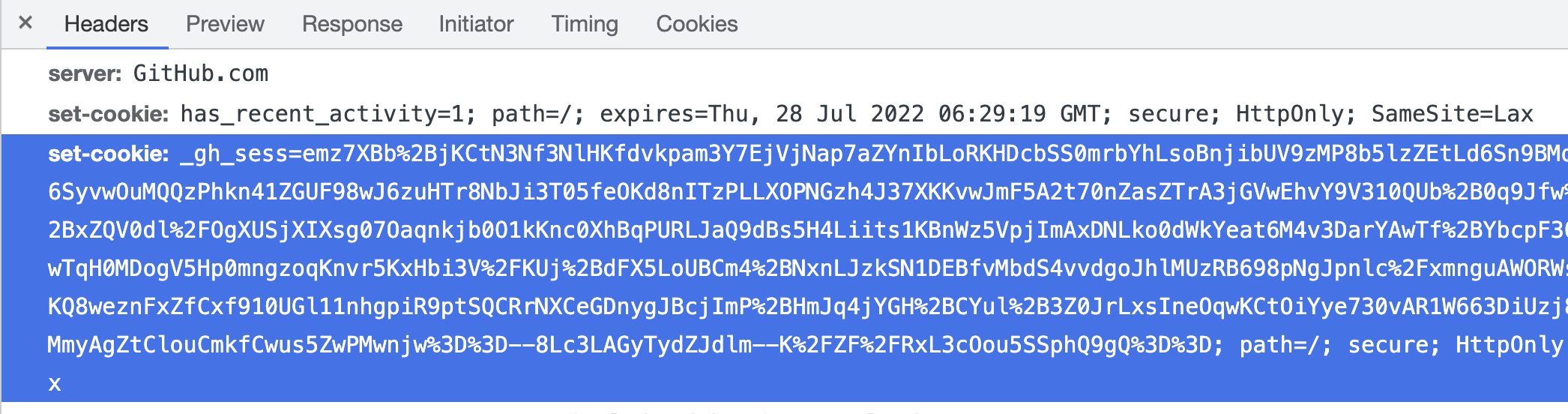
通过重写爬虫的
start_requests方法,将请求头中添加cookies。
python
import scrapy


class GithubSpider(scrapy.Spider):
    name = 'github'
    allowed_domains = ['github.com']
    start_urls = ['https://github.com/settings/profile']

    def start_requests(self):
        # 在 Chrome 浏览器的调试工具中 Application -> Cookies -> https://github.com -> user_session
        cookies_str = 'user_session=oBOLKMa6wZD1Ai-xxx'
        cookies = {i.split('=')[0]: i.split('=')[-1] for i in cookies_str.split('; ')}
        # cookies = {}
        yield scrapy.Request(url=self.start_urls[0], cookies=cookies)

    def parse(self, response):
        print(response.url)
        # 登录成功打印:https://github.com/settings/profile
        # 没有登录打印:https://github.com/login?return_to=https%3A%2F%2Fgithub.com%2Fsettings%2Fprofile
注意:
scrapy中cookie不能够放在headers中,在构造请求的时候有专门的cookies参数,能够接受字典形式的cookies
Request 发送 post 请求
在 Scrapy 中可以通过 scrapy.Request() 指定 method 和 body 的参数来发送 POST 请求;但是通常使用 scrapy.FormRequest() 来构建并发送 POST 请求。
找到
POST的 URL 地址:点击登录按钮进行抓包,然后定位 URL 地址为https://github.com/session找到请求体的规律:分析 POST 请求的请求体,其中包含的参数均在前一次的响应中
登录成功校验:通过请求个人设置页,观察是否跳转到登录页
python
import scrapy


class GithubSpider(scrapy.Spider):
    name = 'github'
    allowed_domains = ['github.com']
    start_urls = ['https://github.com/login']

    def parse(self, response):
        login_url = response.urljoin(response.xpath('//form/@action').get())
        authenticity_token = response.xpath('//input[@name="authenticity_token"]/@value').get()
        timestamp = response.xpath('//input[@name="timestamp"]/@value').get()
        timestamp_secret = response.xpath('//input[@name="timestamp_secret"]/@value').get()

        formdata = {
            "commit": "sign_in",
            "authenticity_token": authenticity_token,
            "return_to": 'https://github.com/curder',
            "timestamp": timestamp,
            "timestamp_secret": timestamp_secret,
            "webauthn-support": "supported",
            "webauthn-iuvpaa-support": "supported",
            "login": "YOUR_GITHUB_USERNAME",
            "password": "YOUR_GITHUB_PASSWORD",
        }

        # 构造POST请求,传递给引擎
        yield scrapy.FormRequest(
            url=login_url,
            formdata=formdata,
            callback=self.after_login,
        )

    def after_login(self, response):
        profile_setting_url = 'https://github.com/settings/profile'
        yield scrapy.Request(url=profile_setting_url, callback=self.check_login)
        print('After Login: ', response.url)

    def check_login(self, response):
        print('Check Login: ', response.url)
        # 登录成功打印:https://github.com/settings/profile
        # 没有登录打印:https://github.com/login?return_to=https%3A%2F%2Fgithub.com%2Fsettings%2Fprofile